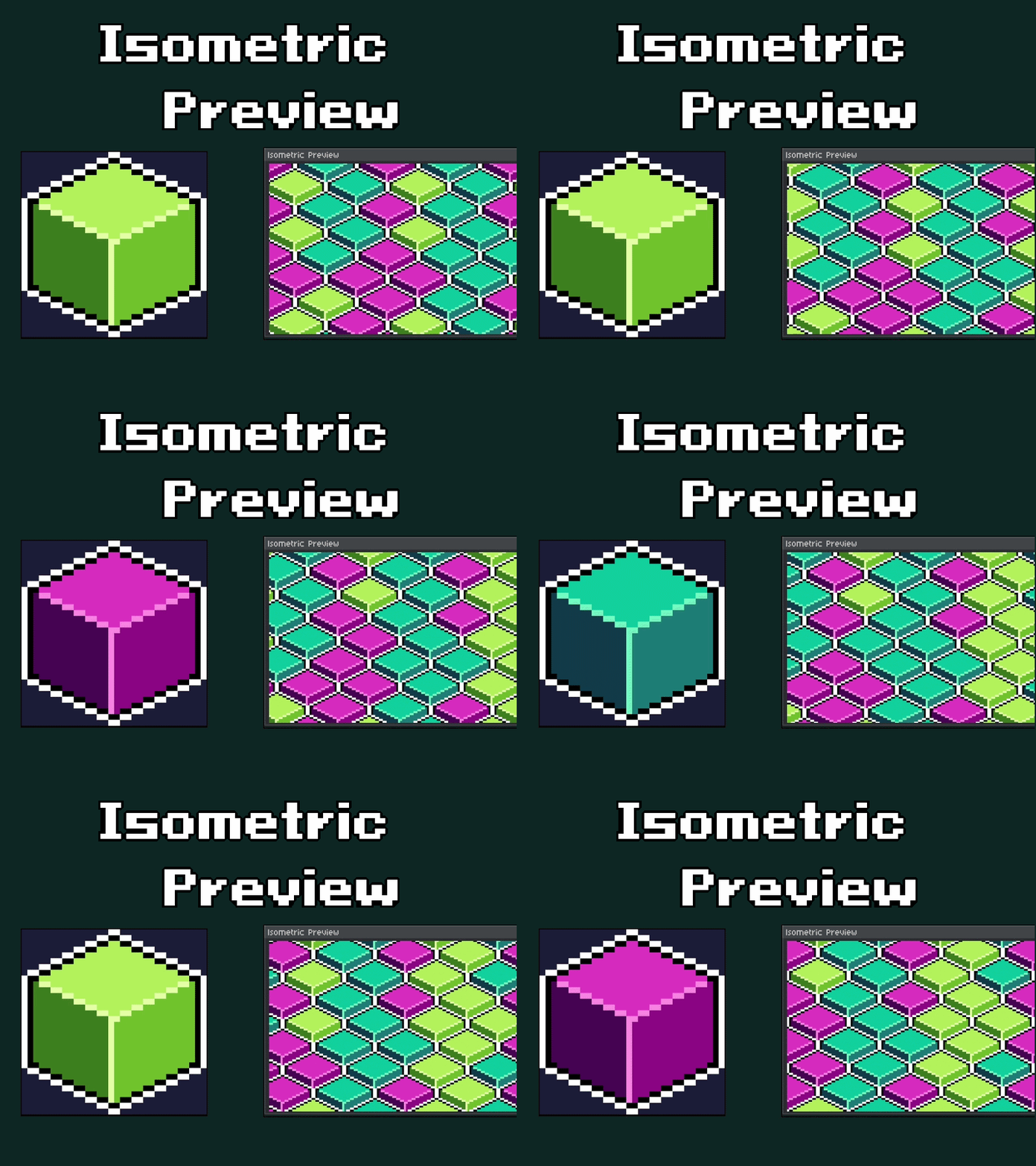
Isometric Tile Mode Preview for Aseprite
A downloadable Aseprite add-on
Hii! My name is Kipperfalcon, game developer and pixel artist. Over the last year, I've been very interested in the isometric perspective, and so far, I've made some cool asset packs, but every time it is time to make some tiles, it is so stressful. I know there are apps like Tiled, or just making the tileset and setting up the test project in Godot, Unity, GameMaker, or any other engine to test if everything is looking good... but in the end, it consumes time every time I need to export the tileset, set up the project, and redo the whole process over and over again. And I really hate changing between every program.
So, I recently designed this script tool for Aseprite (I know there are other apps like Resprite that already have this native tool and it works amazingly) but I don't know why, Aseprite is just perfect for me, and the community makes a lot of addons, extensions, and scripts, and it has just always become the best option for me (and maybe for other pixel artists).
The aim of this isometric tile mode preview script is to improve the workflow of any pixel artist that needs to quickly test if a tile is working or not. So if you're like me, making a lot of tiles will be more productive than ever.
So yes! Here are all the features of this version 1.0.0. It probably needs to be optimized or maybe add some additional features, but I'll be checking the feedback from the community and taking note of every single detail.
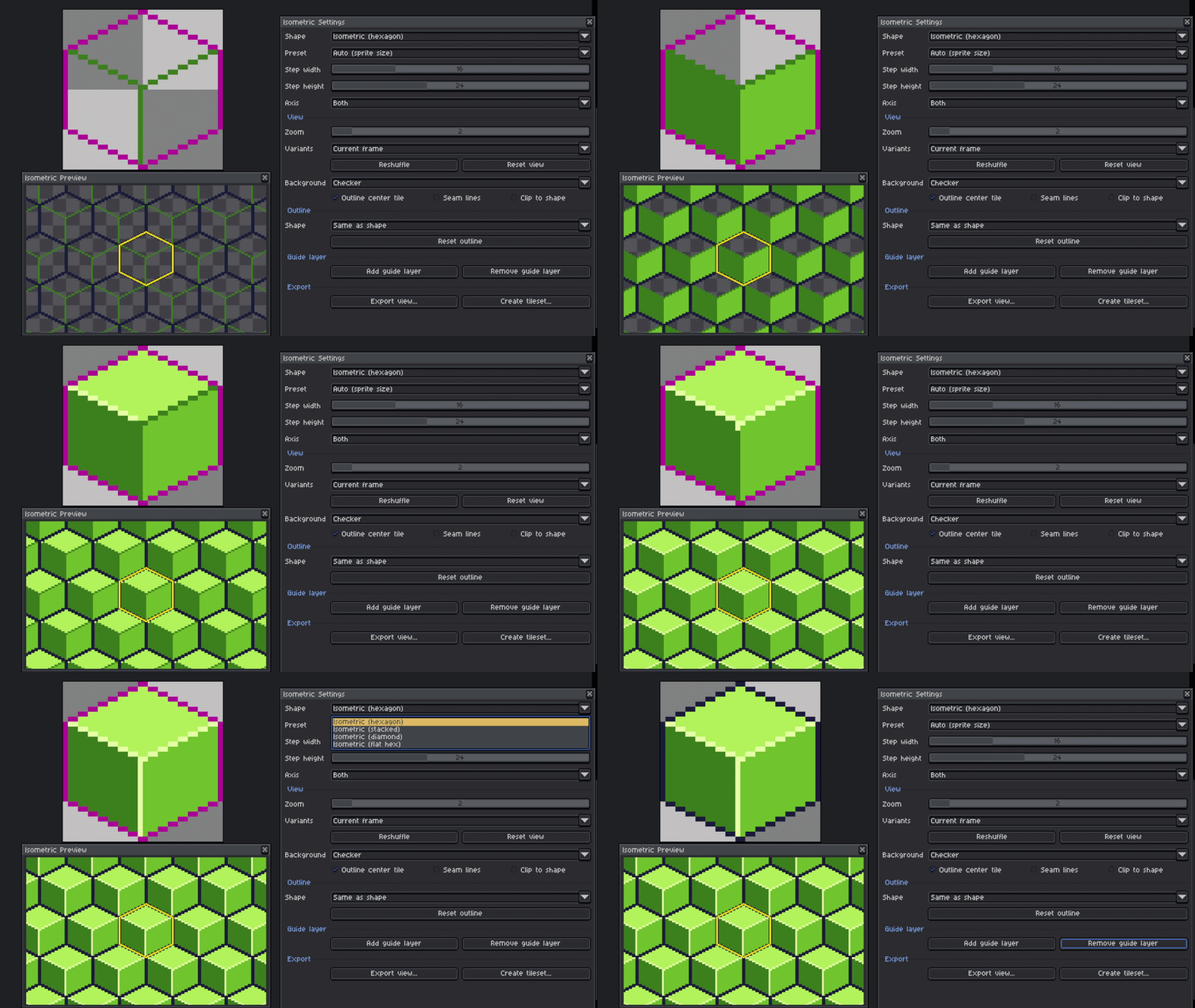
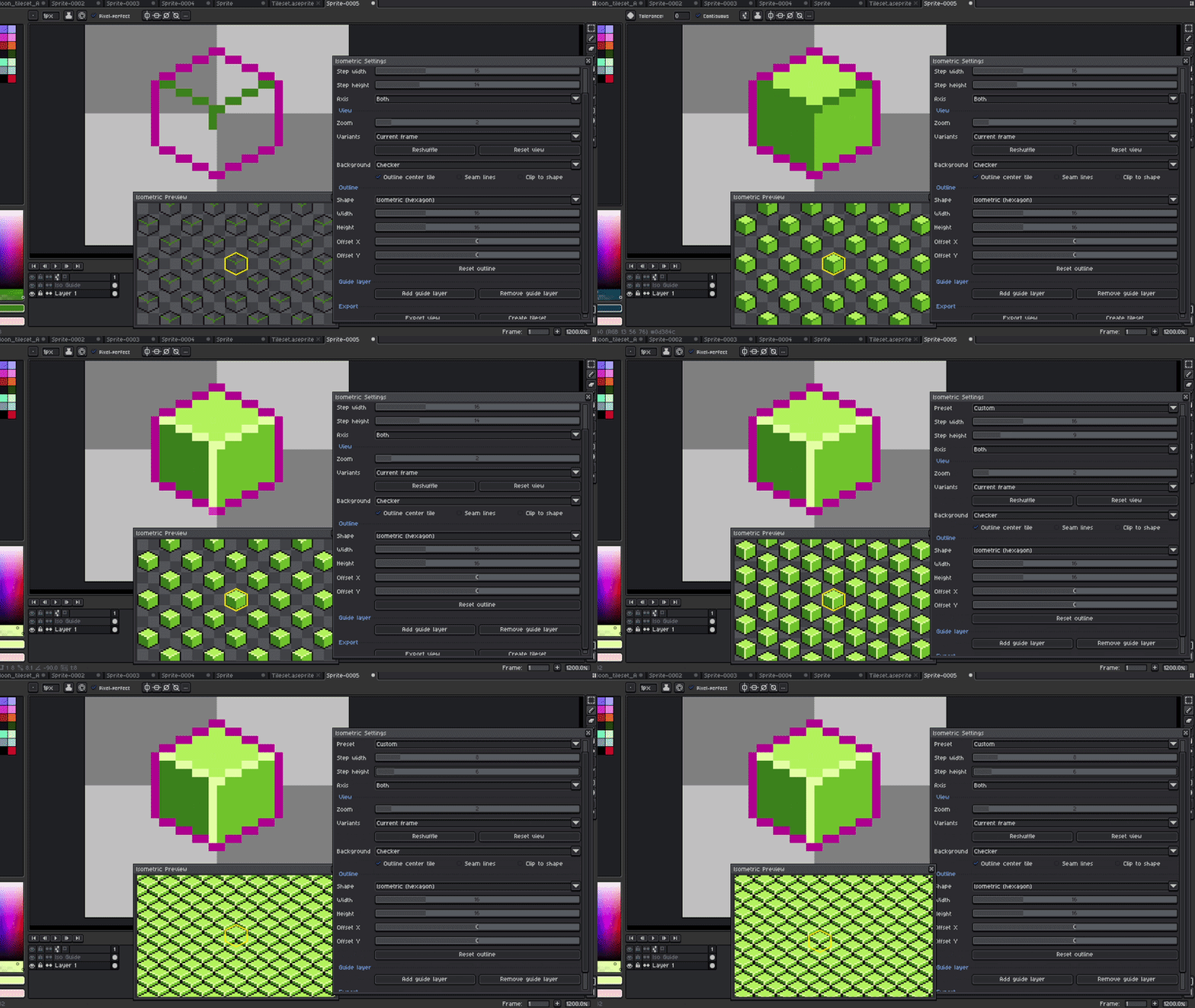
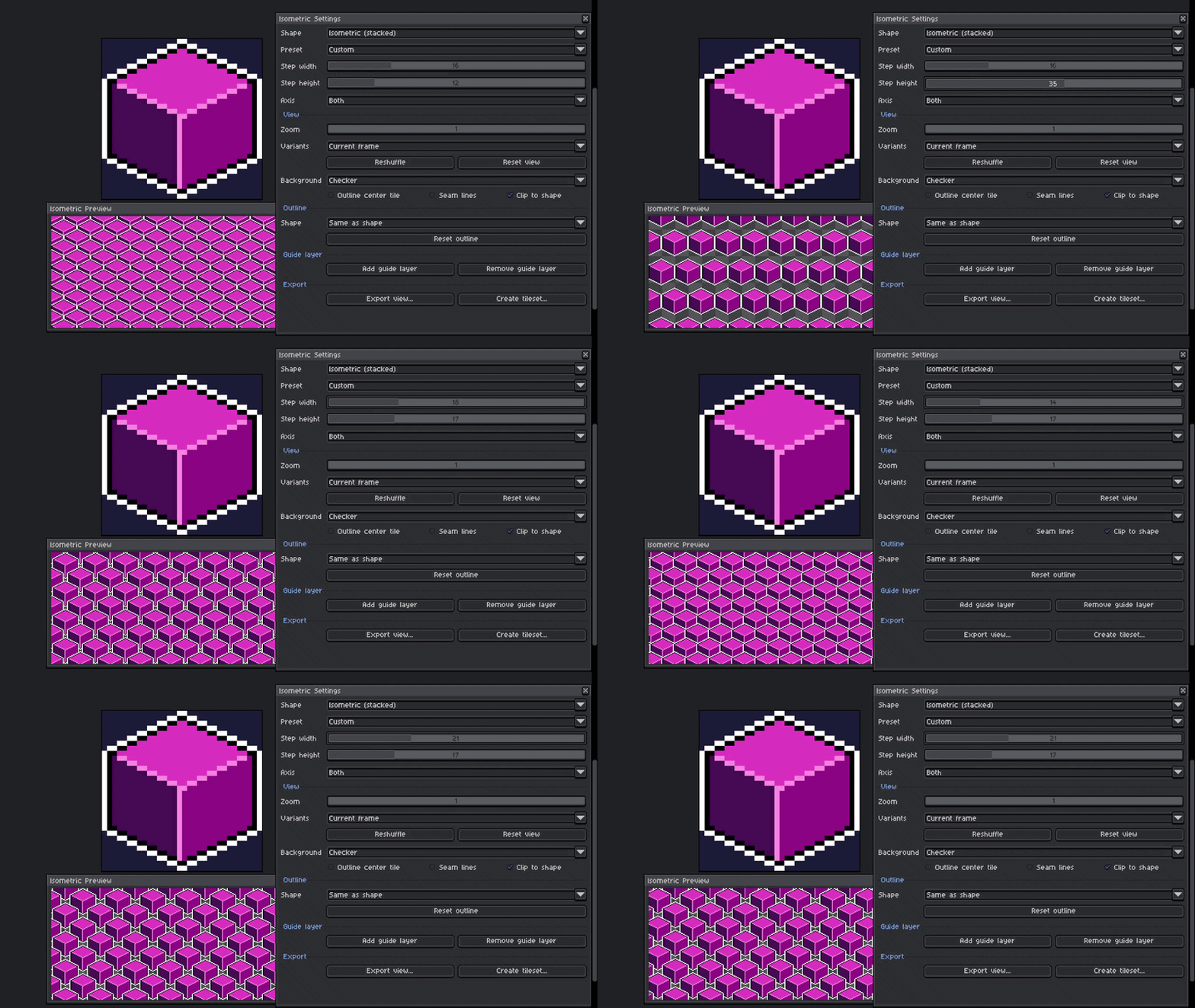
1. Modify the cube in real time.
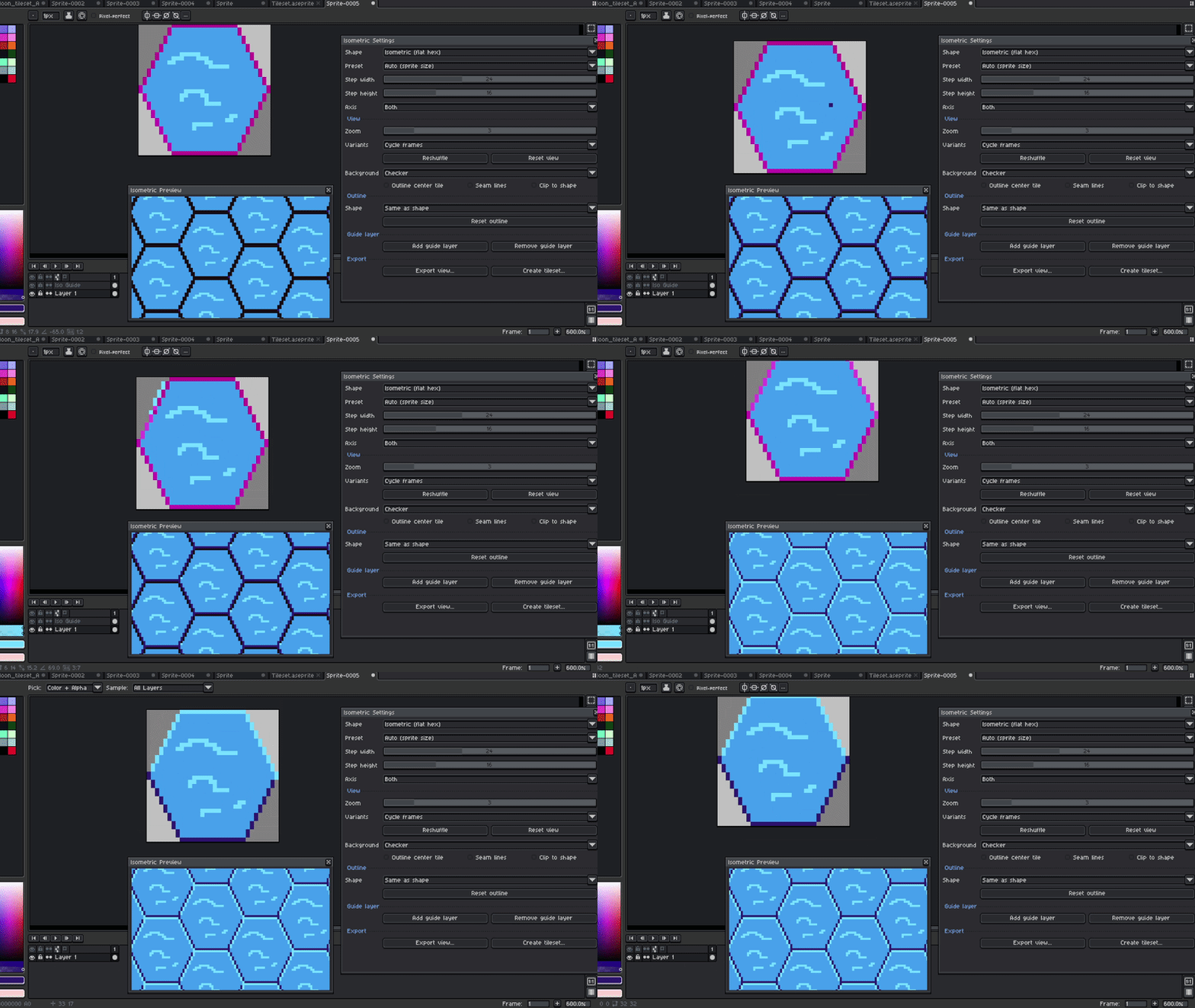
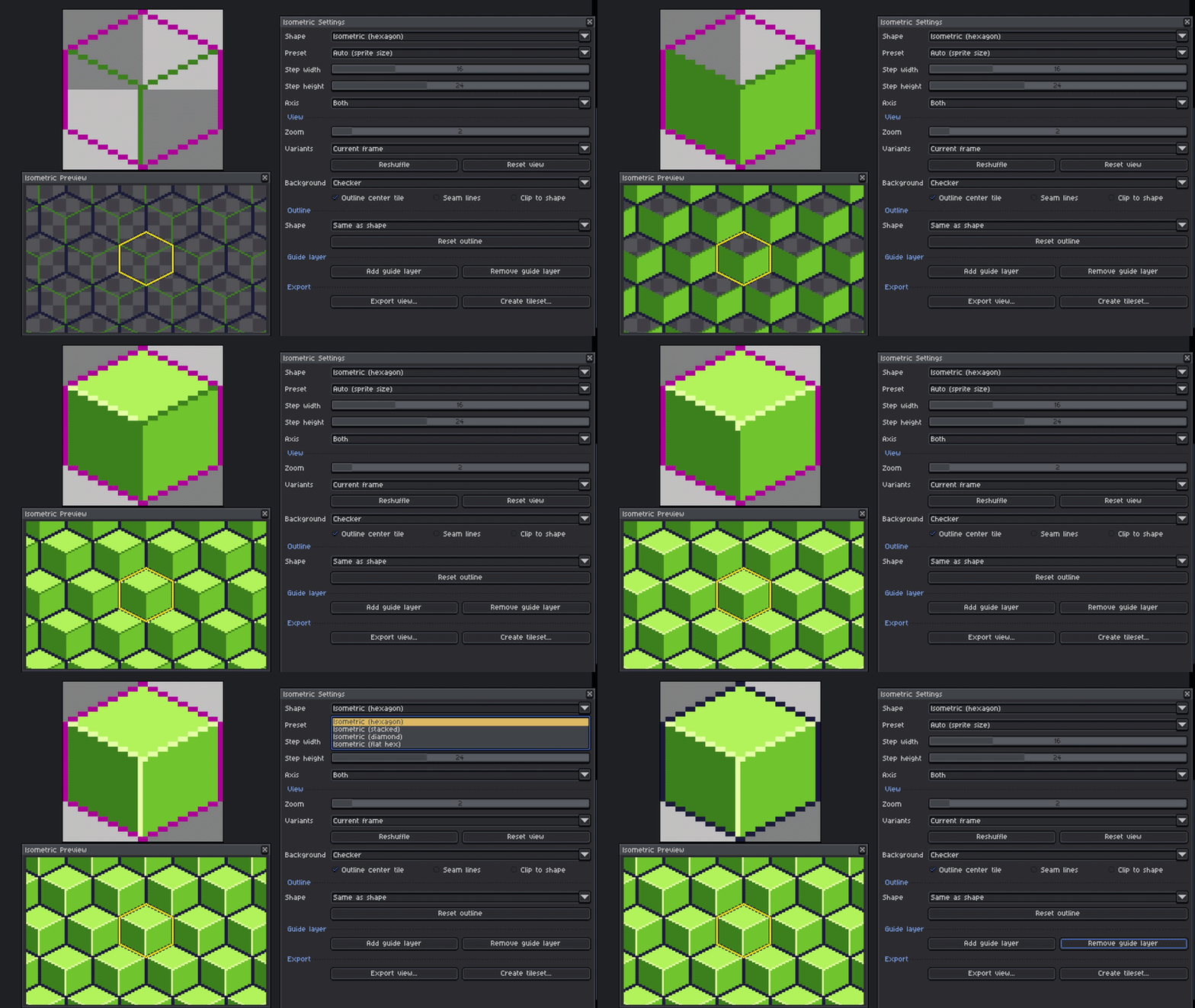
(How the preview works) Unfortunately, I really don't know how to use the native Tile Mode for rectangles in Aseprite, so the best way that I found is to create a new window that replicates the center tile and, with some math, it can replicate the same copy and maintain the whole isometric perspective structure. Every time you modify the cube, it will update the preview in real time; it is not updating all the time, only if you change something in the cube or modify the settings during the preview.
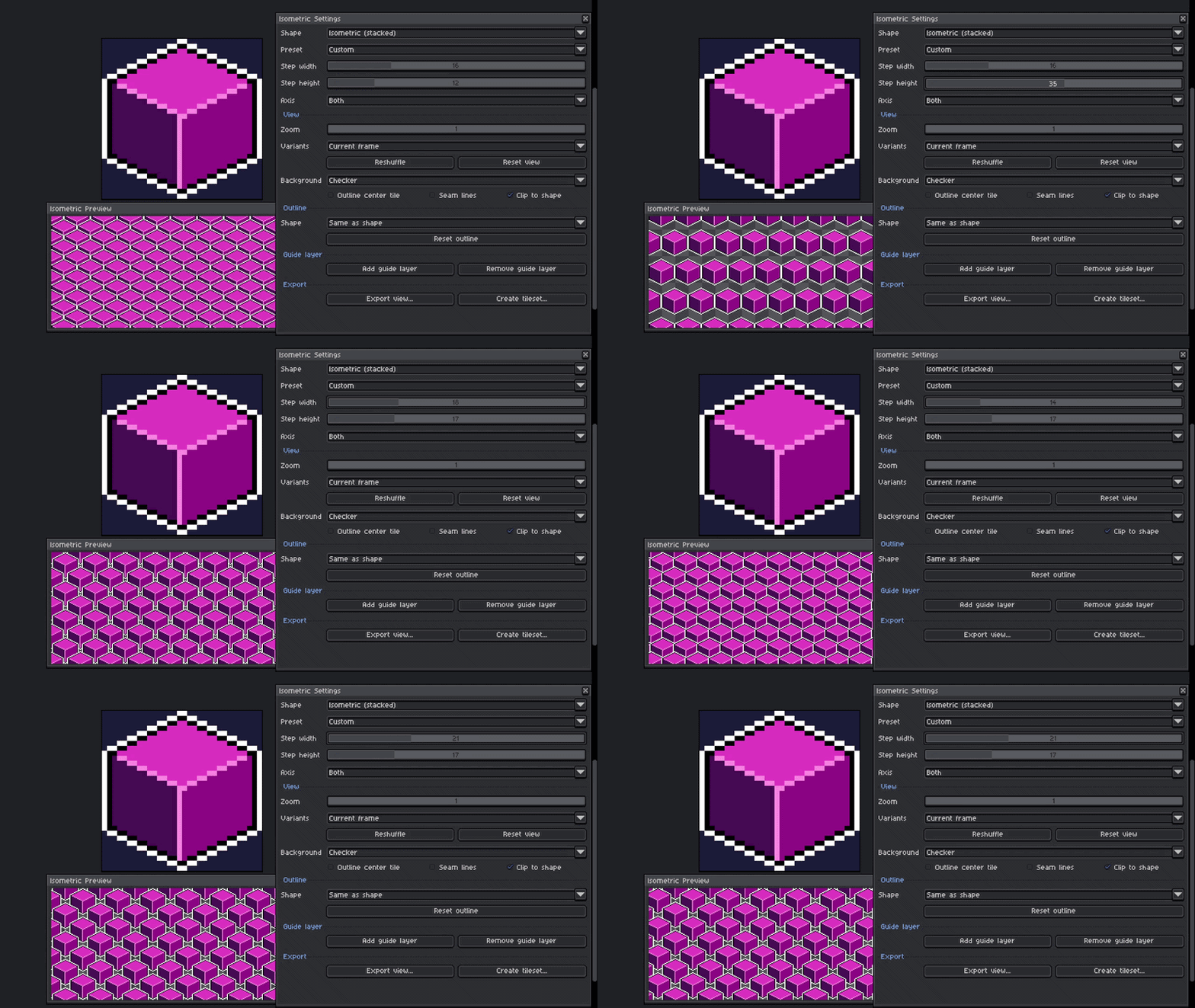
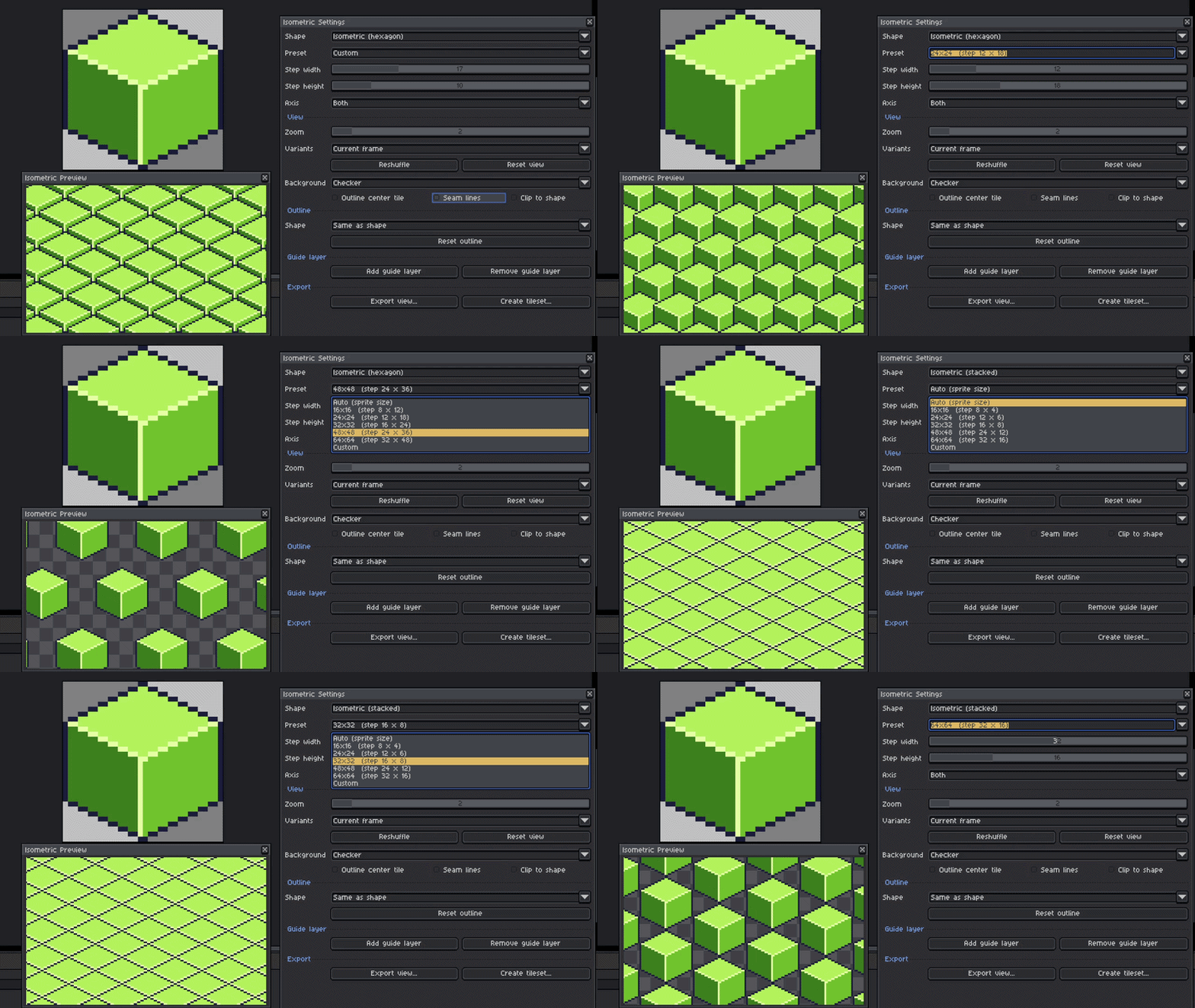
2. Define the width and height.
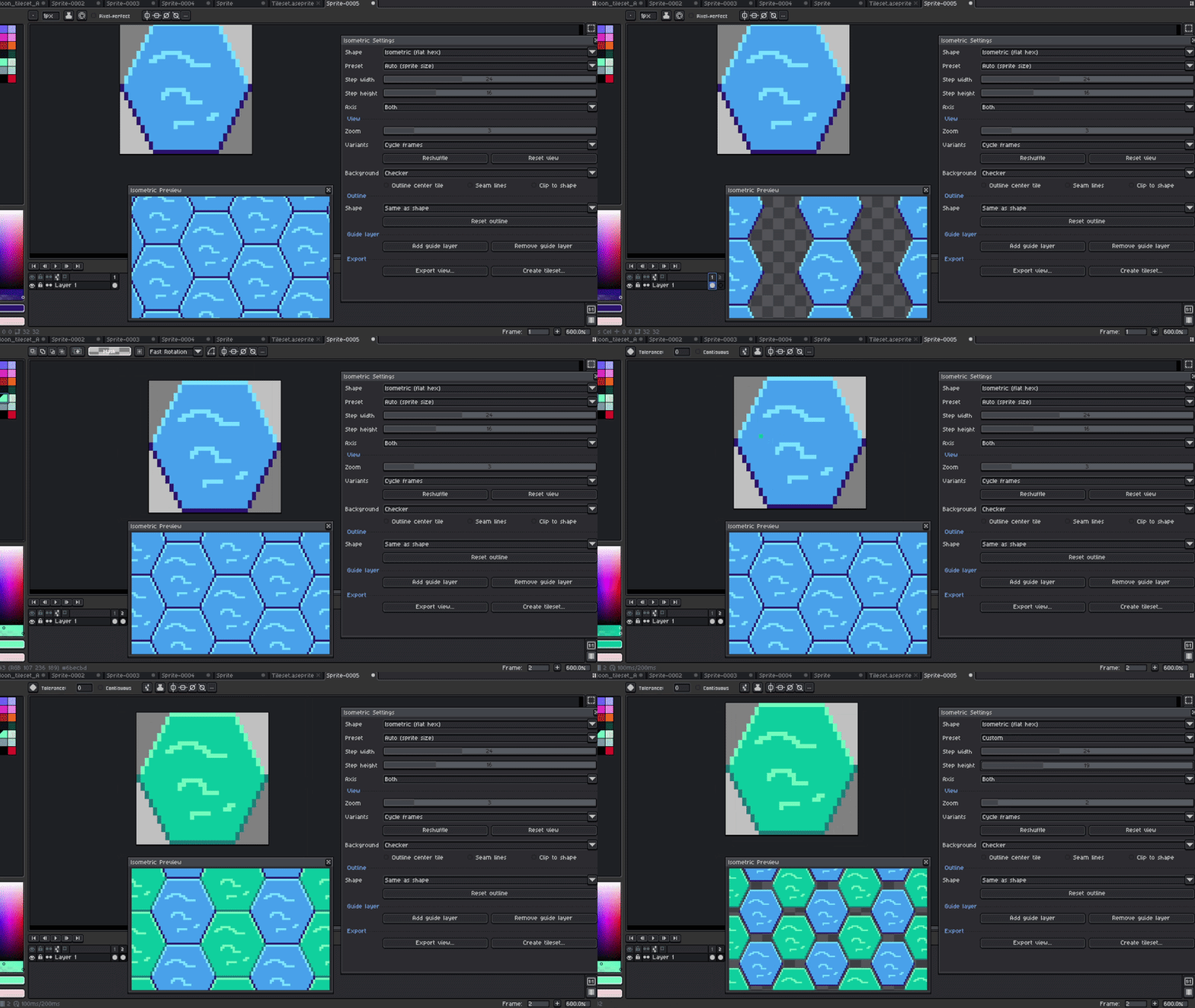
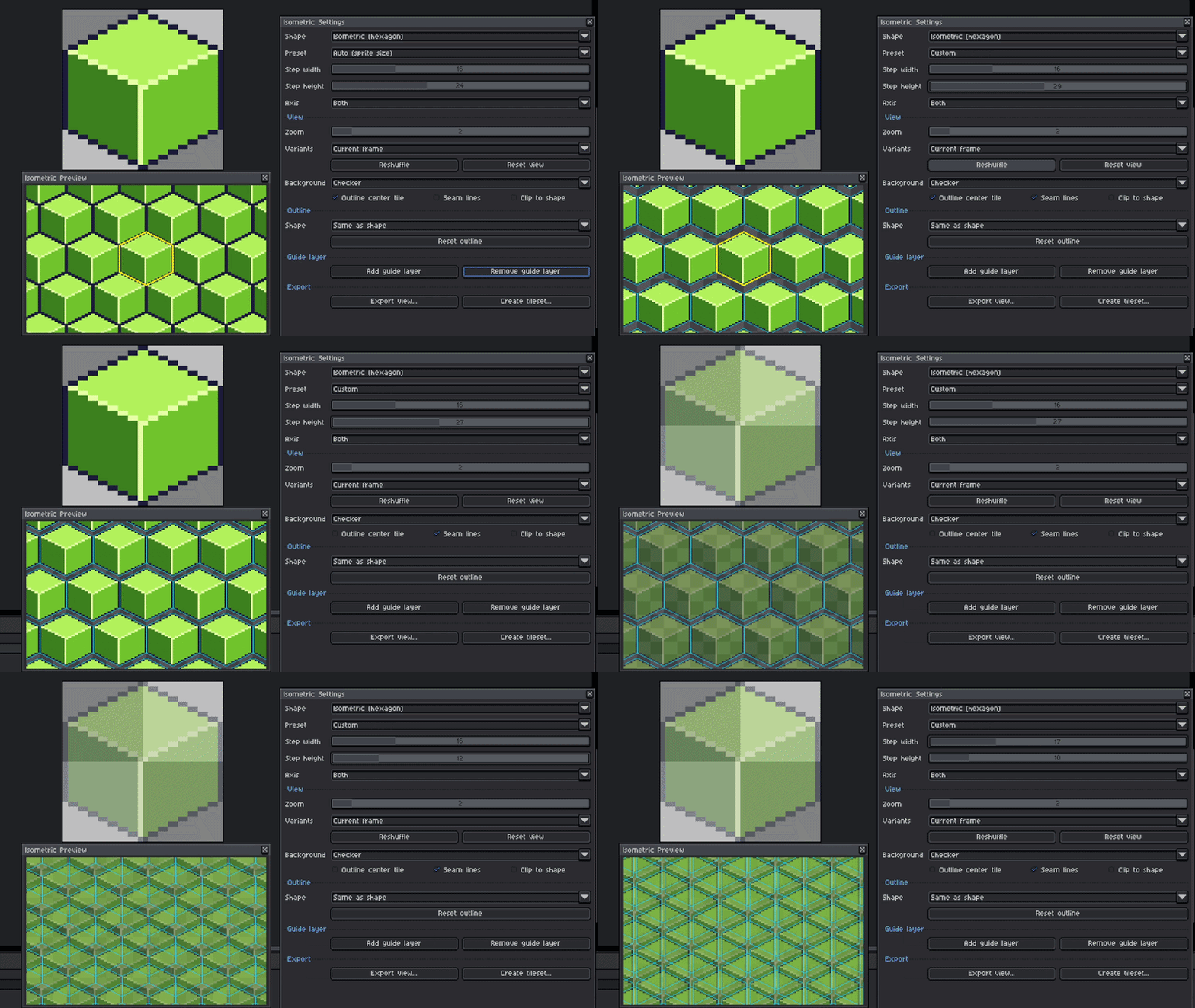
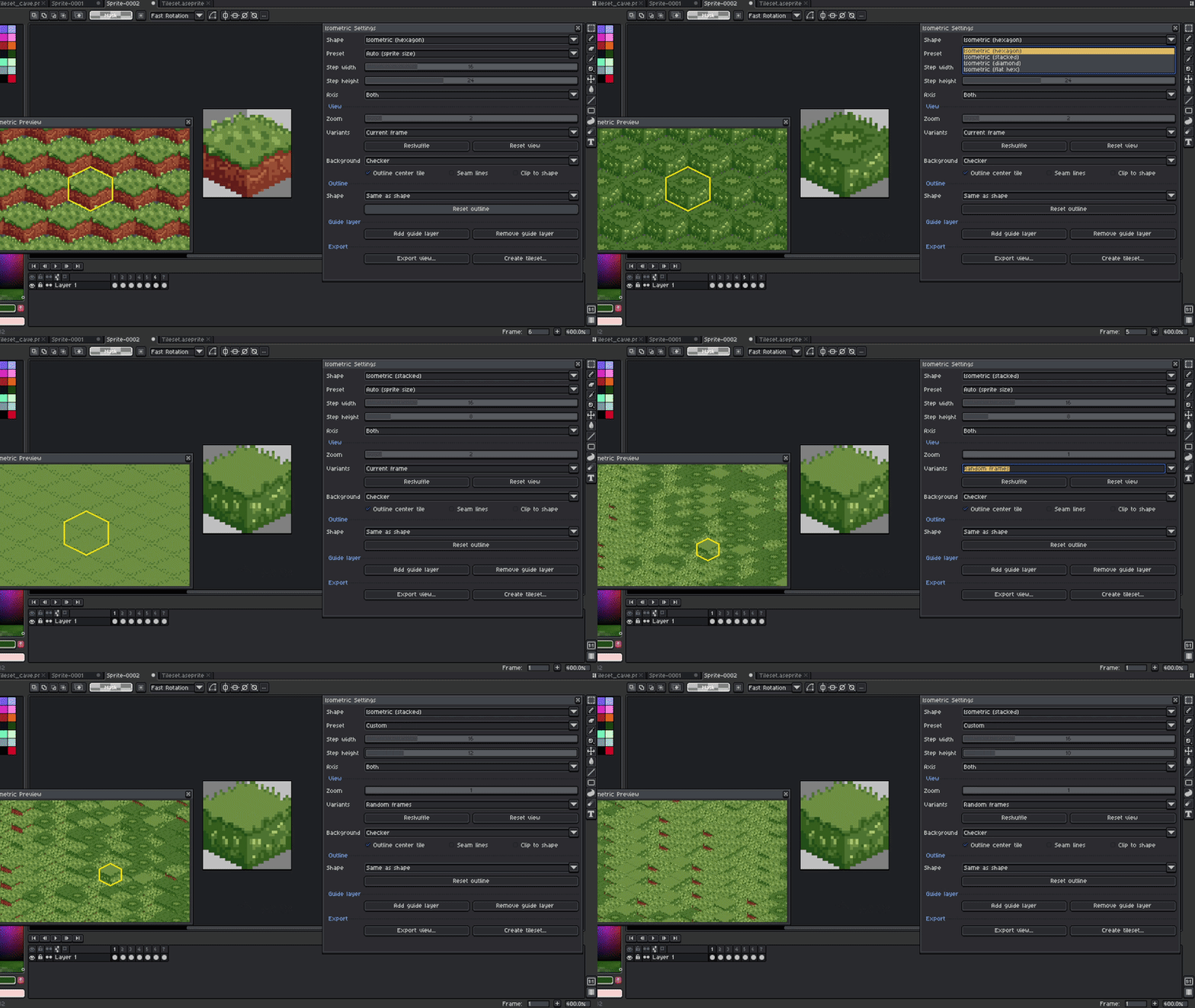
This is similar to any game engine, as you need to set up the steps between each cube, and of course, the Z-Index is already integrated into this preview mode, but just a reminder that you will need to set this up later in the engine. I added some presets if it is your first time doing this, but remember to select the shape Isometric (Hexagon) or Isometric (Stacked) for this form to work. Diamond and Flat Hex are also supported, so it can also work with different shapes.
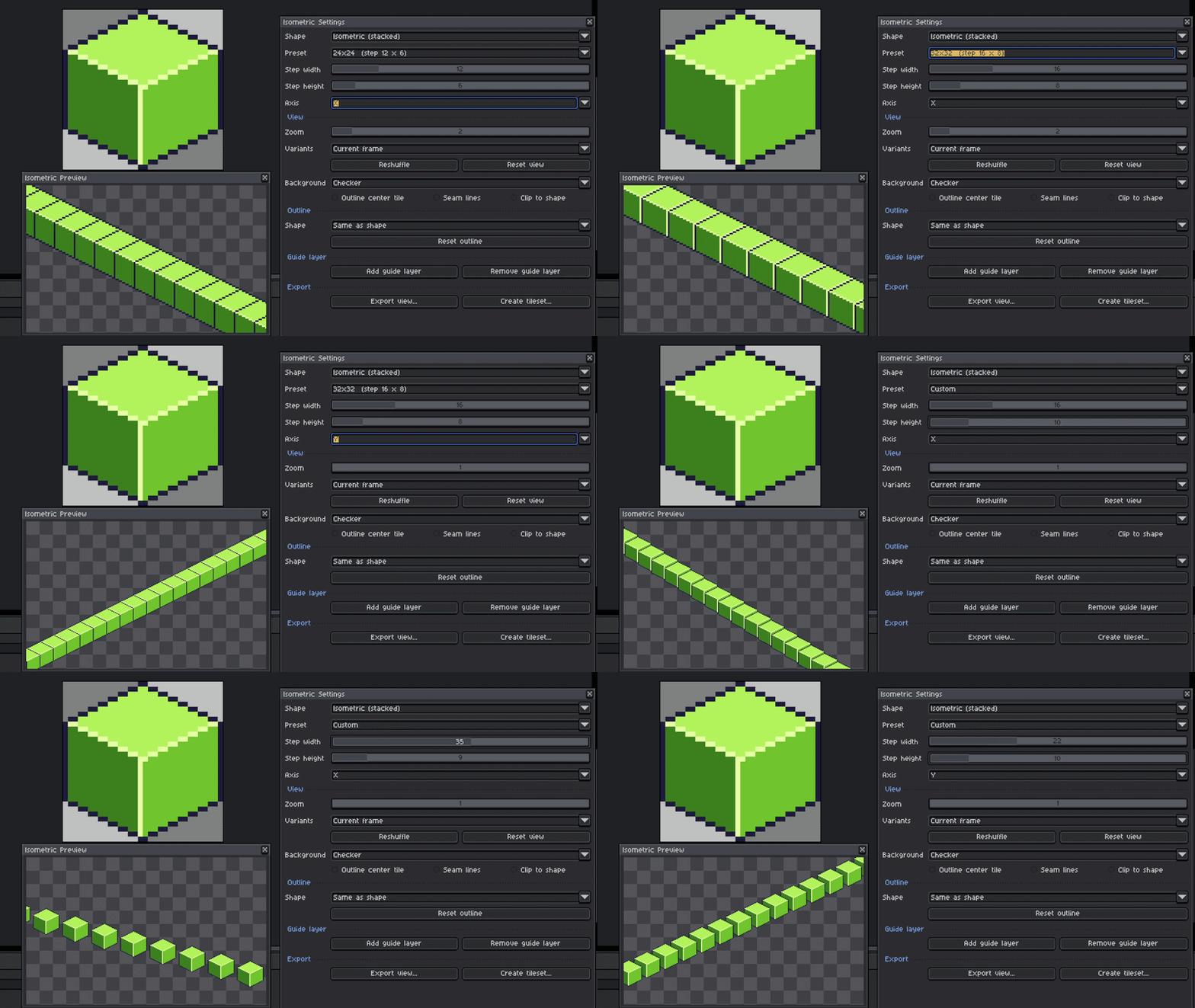
3.Use X or Y Axis to match with the neighboring cubes
The main reason for this is to check if a path connects correctly with some similar cubes or if you need to fix some dead pixels.
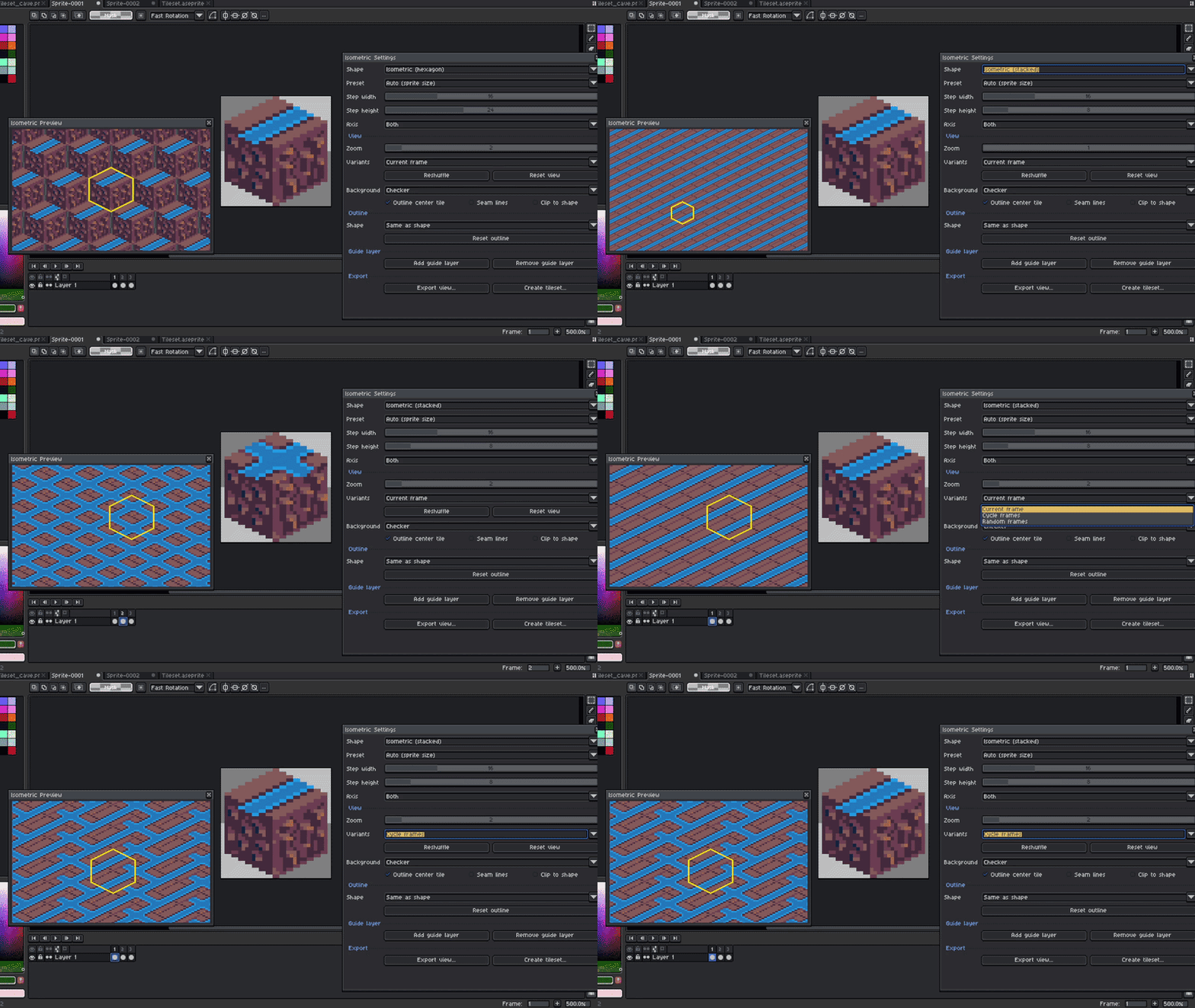
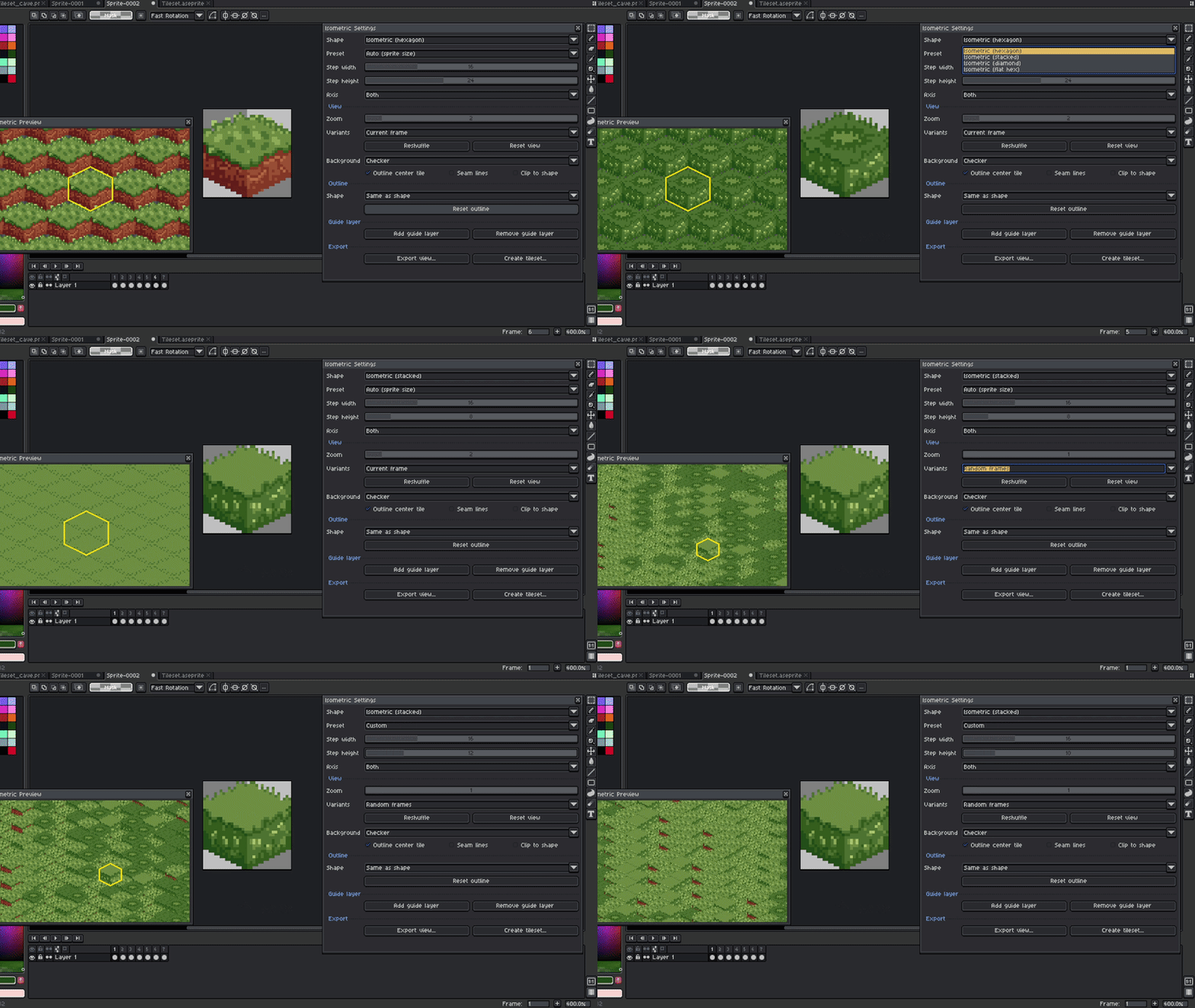
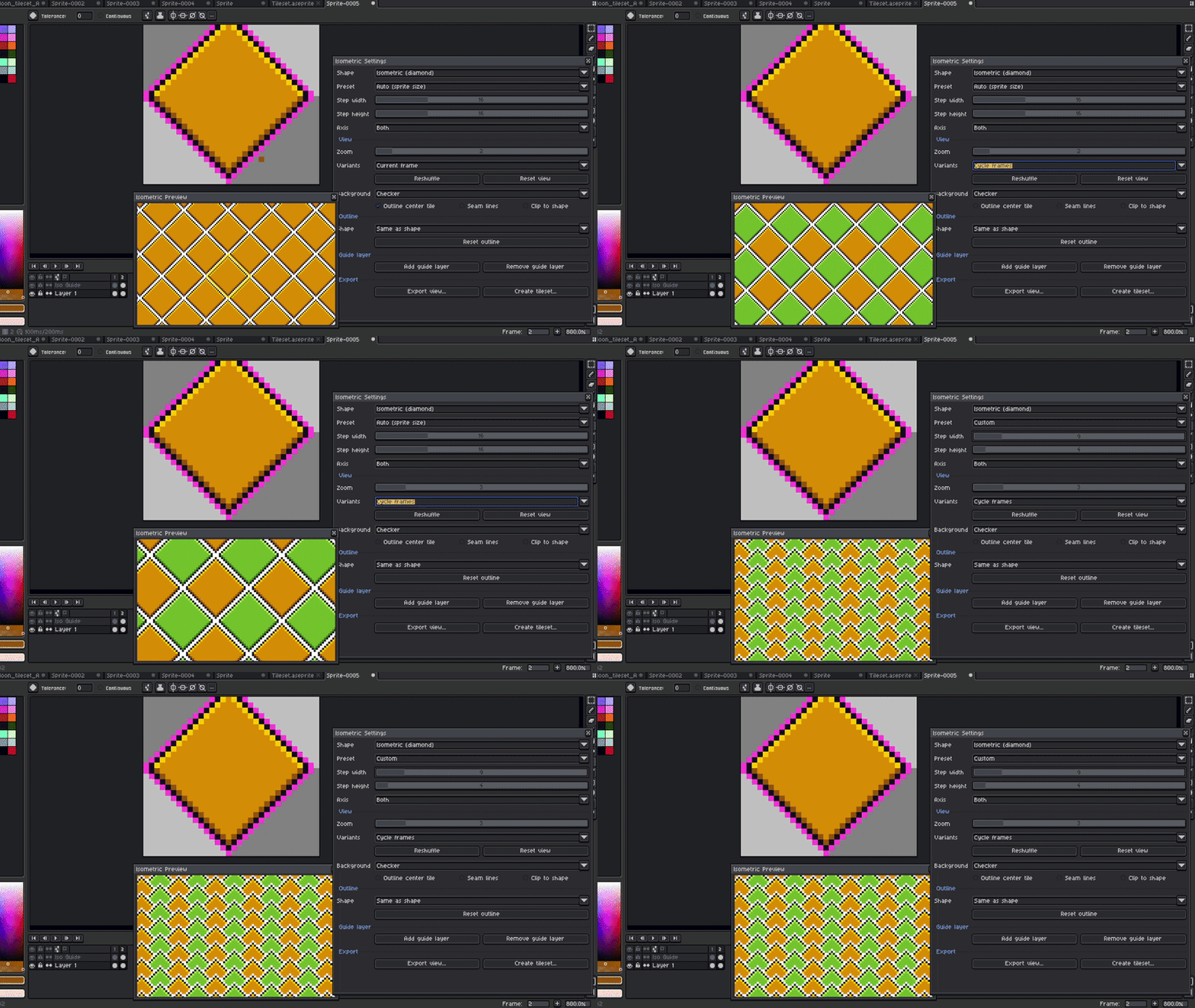
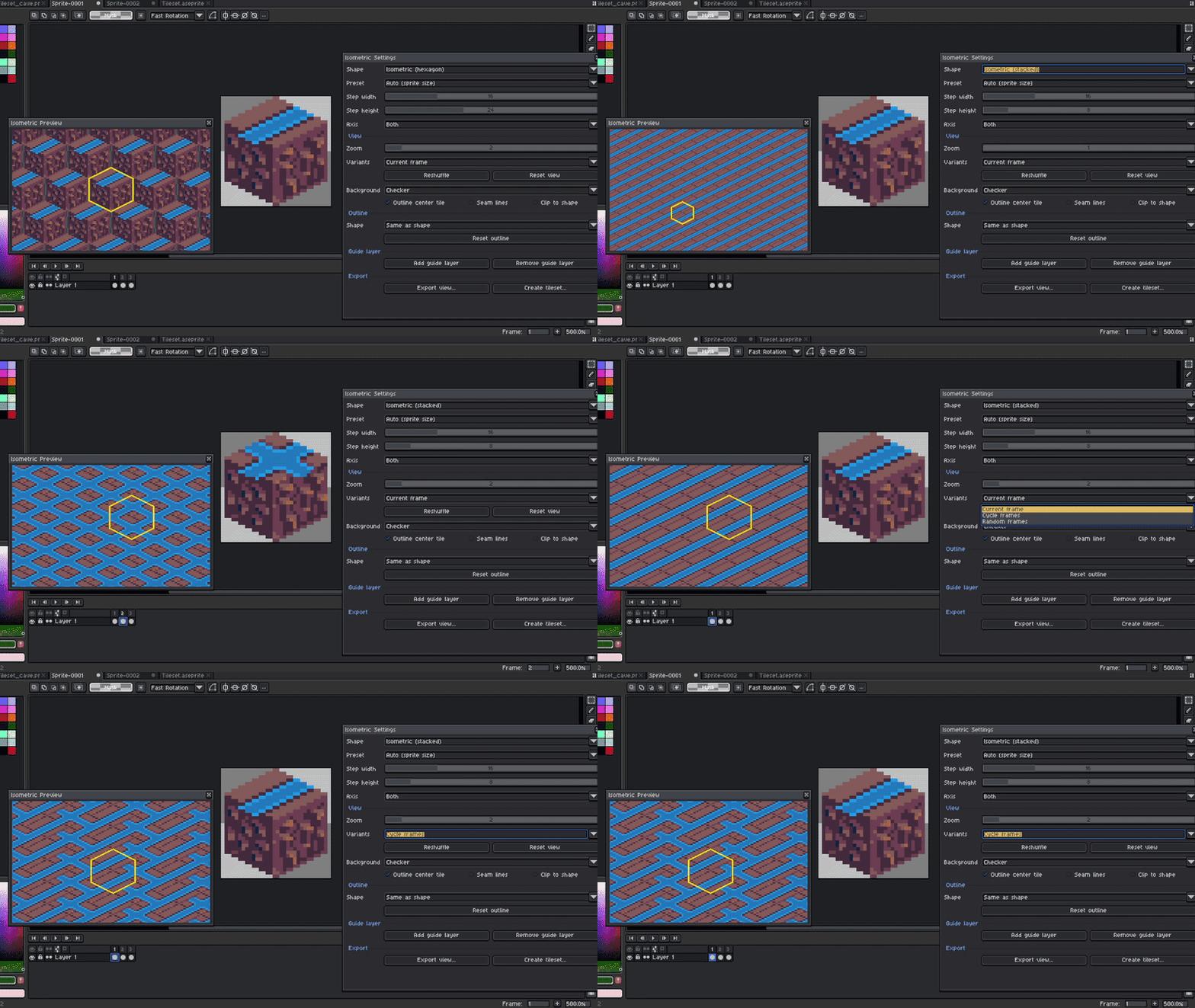
4. Create Cycle Patterns or Random Patterns to test paths
Maybe you made grass tiles with variants, so you want to test quickly if everything seems fine? Well, you can create frames with variants and define if you want to set them as cycle frames to check paths, or random to check grass
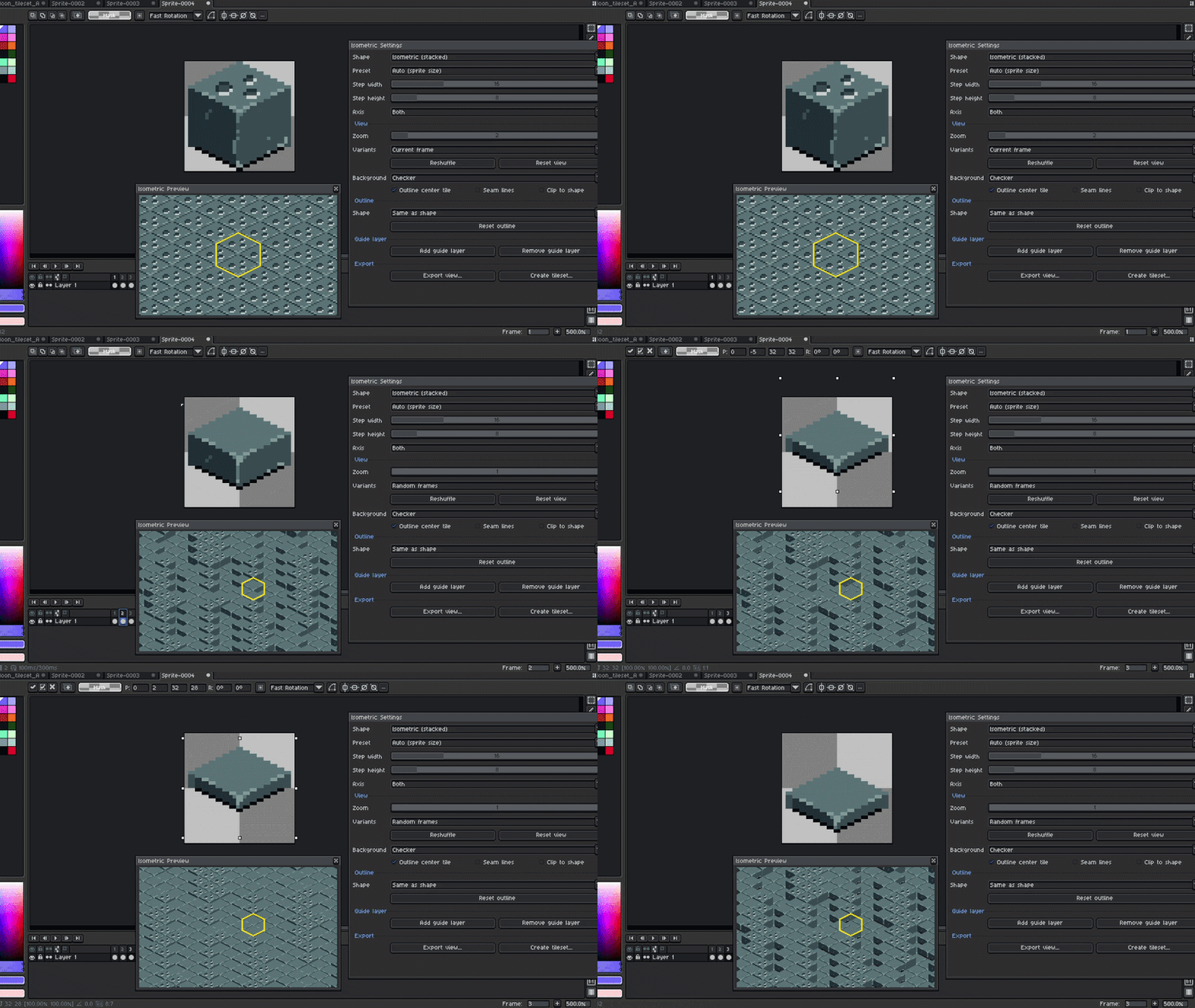
5.Background Checker for holes or errors.
If you are designing a tile, it's always a good idea to check if the whole tile looks consistent and without errors, so this is a good way to make sure there are no empty or dead cells in the tile.
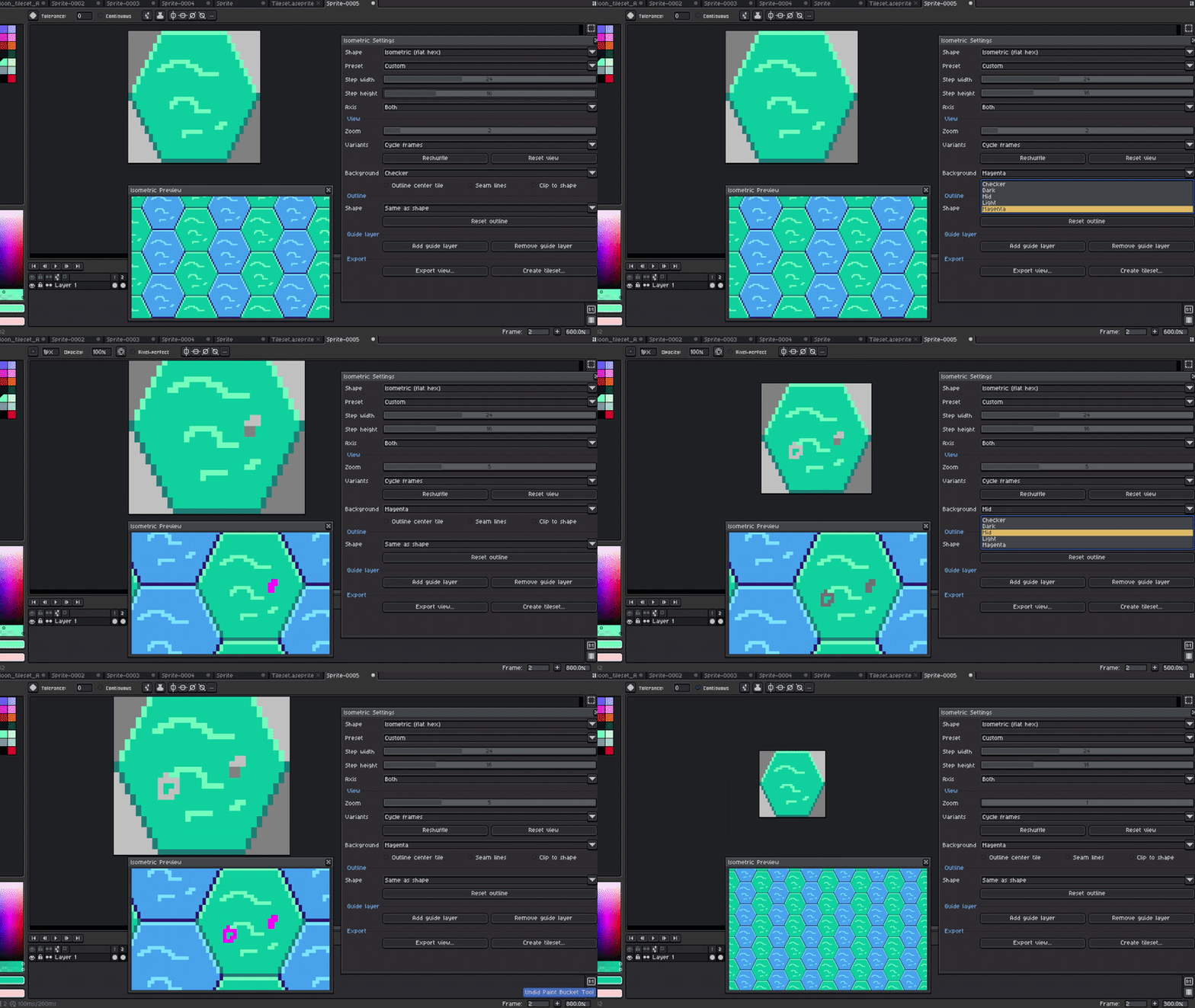
6. Seam lines are supported to scan how all the tiles stick together
Sometimes it is really hard to understand where the other cubes are (well, maybe not because you will see the visual sprite showing that, but when the cubes are behind others, it is almost impossible to check where each cube is), so if you need to scan this, you can do it.
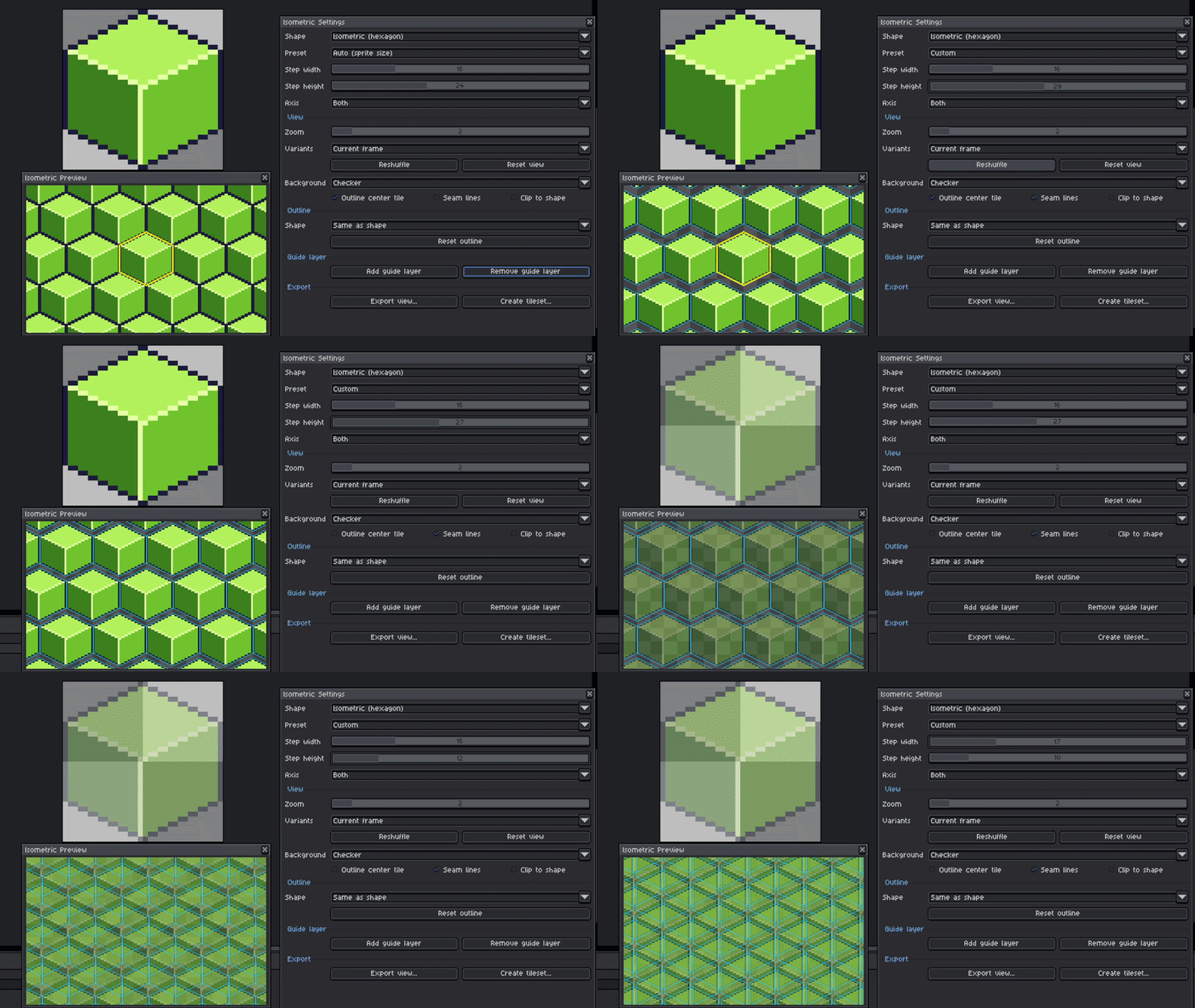
7. Clip to shape to avoid weird pixels (or maybe not).
If you're making some grass, it's fine and probably what you're looking for, but if you're doing some tiles for a kitchen, well, maybe it will be better to clip to the shape to avoid that.
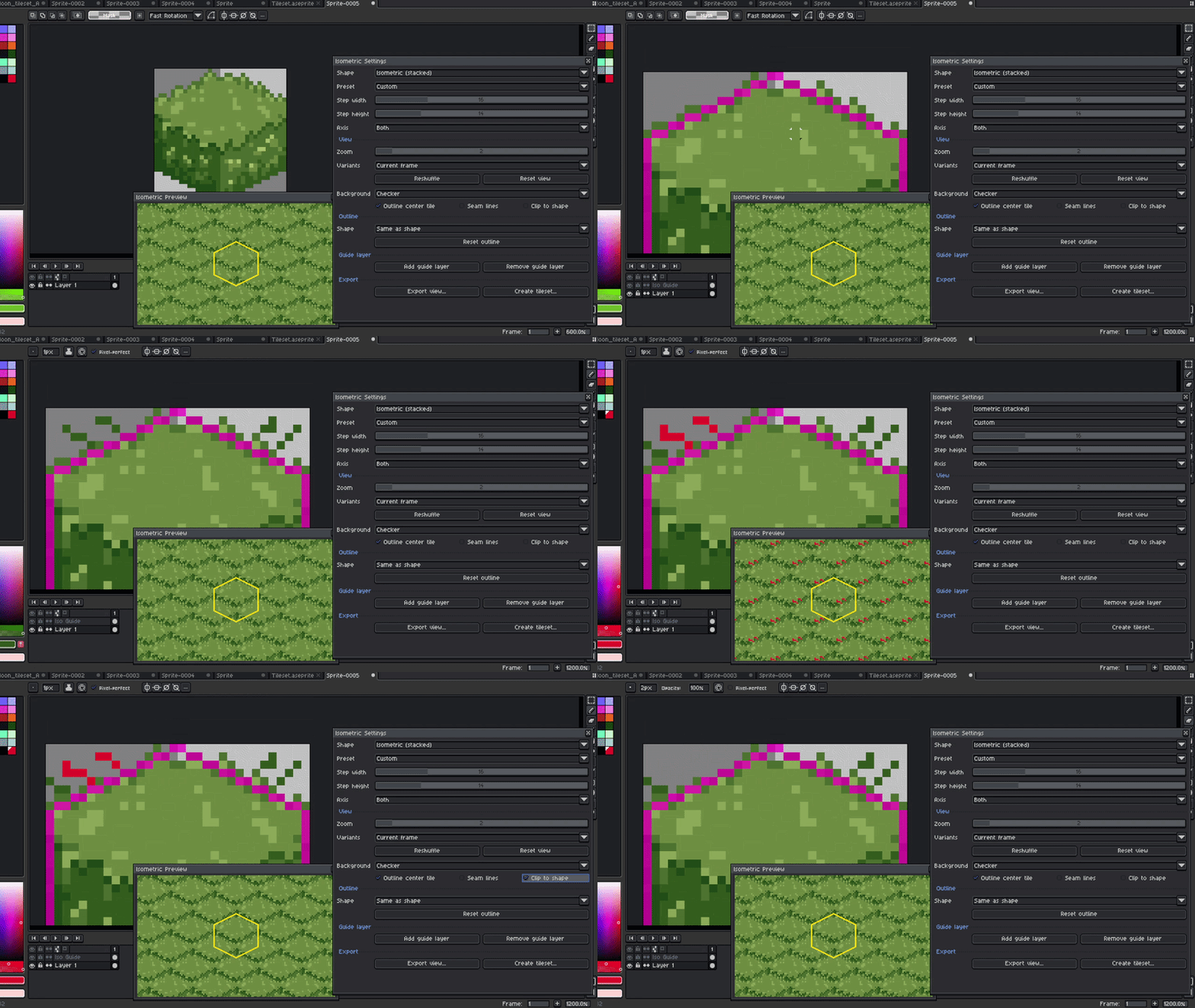
8. Define a Guide Layer to make the isometric tile the size you need
If you're already an expert using isometric tiles, maybe this is not for you, but if you're just starting, this will help you to design the correct size depending on what you're doing. Great for beginners and probably for pros. Who knows?
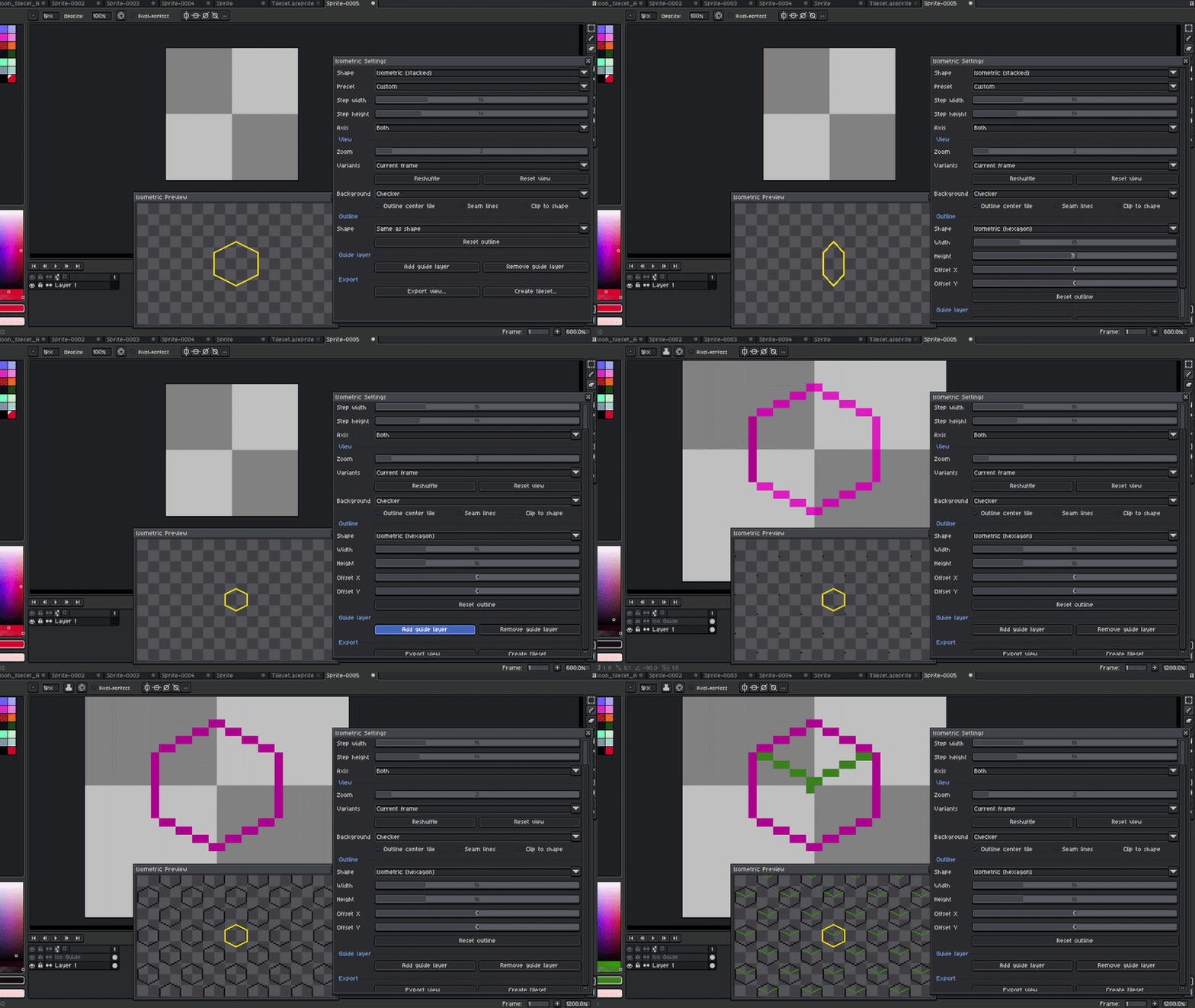
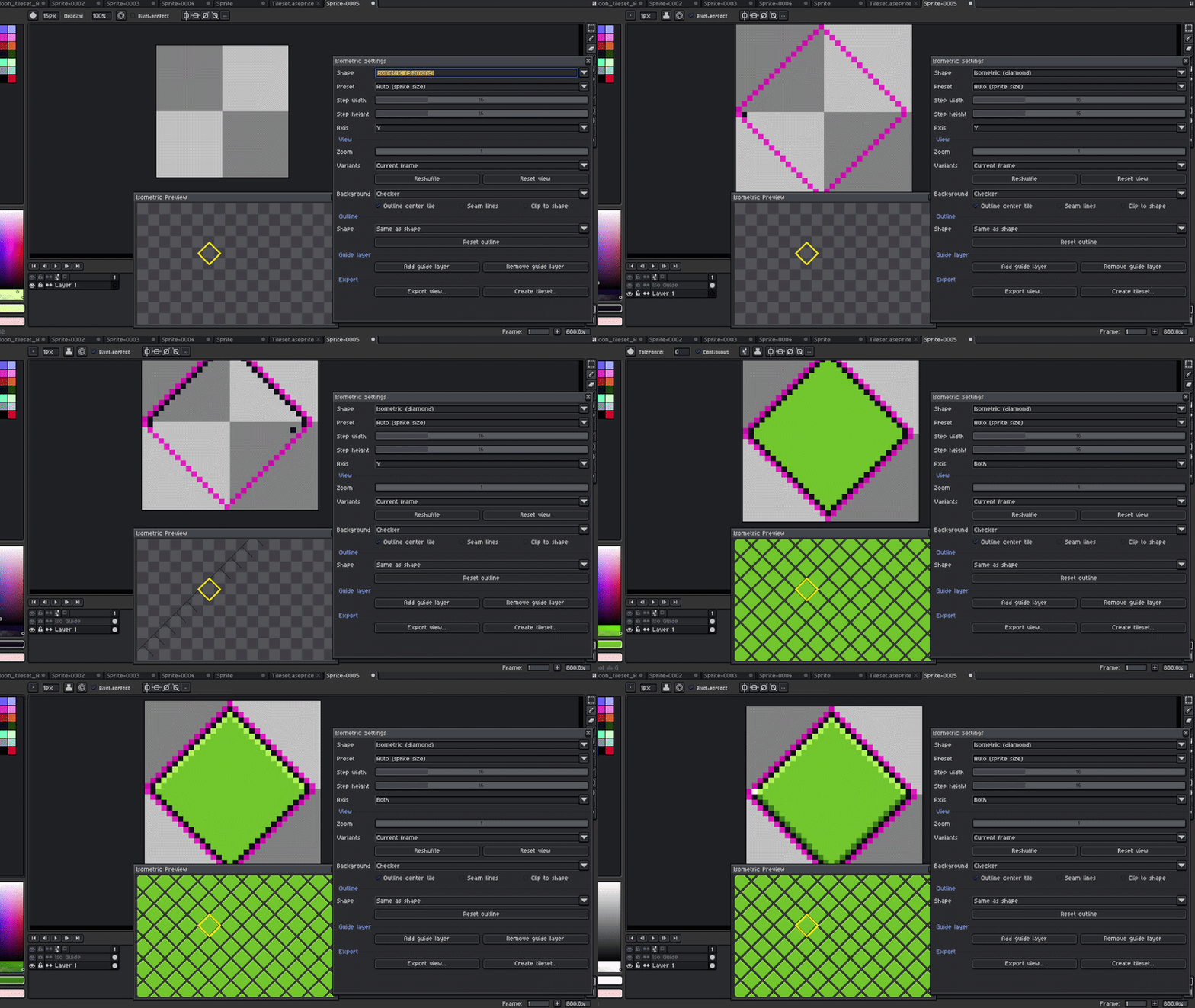
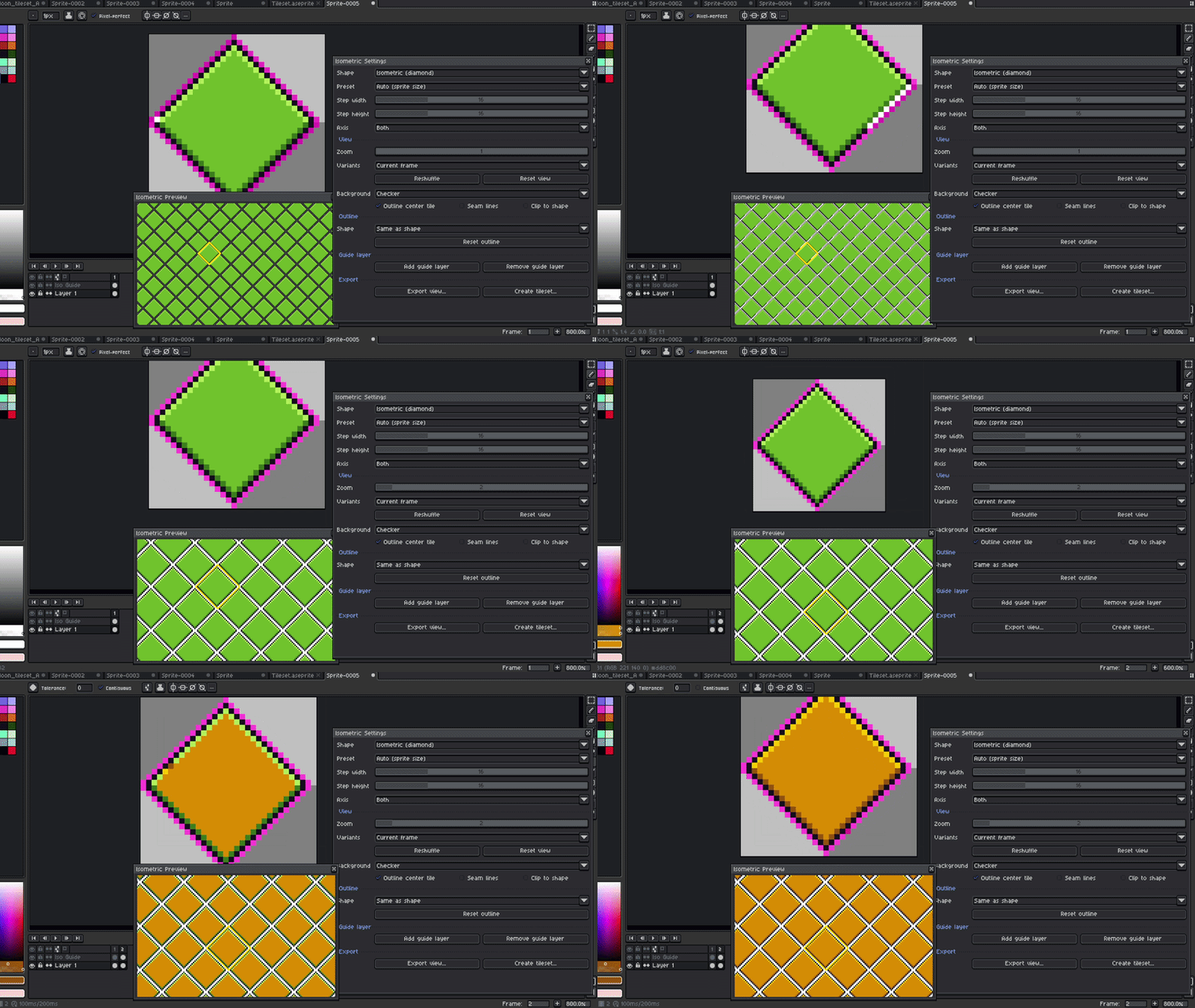
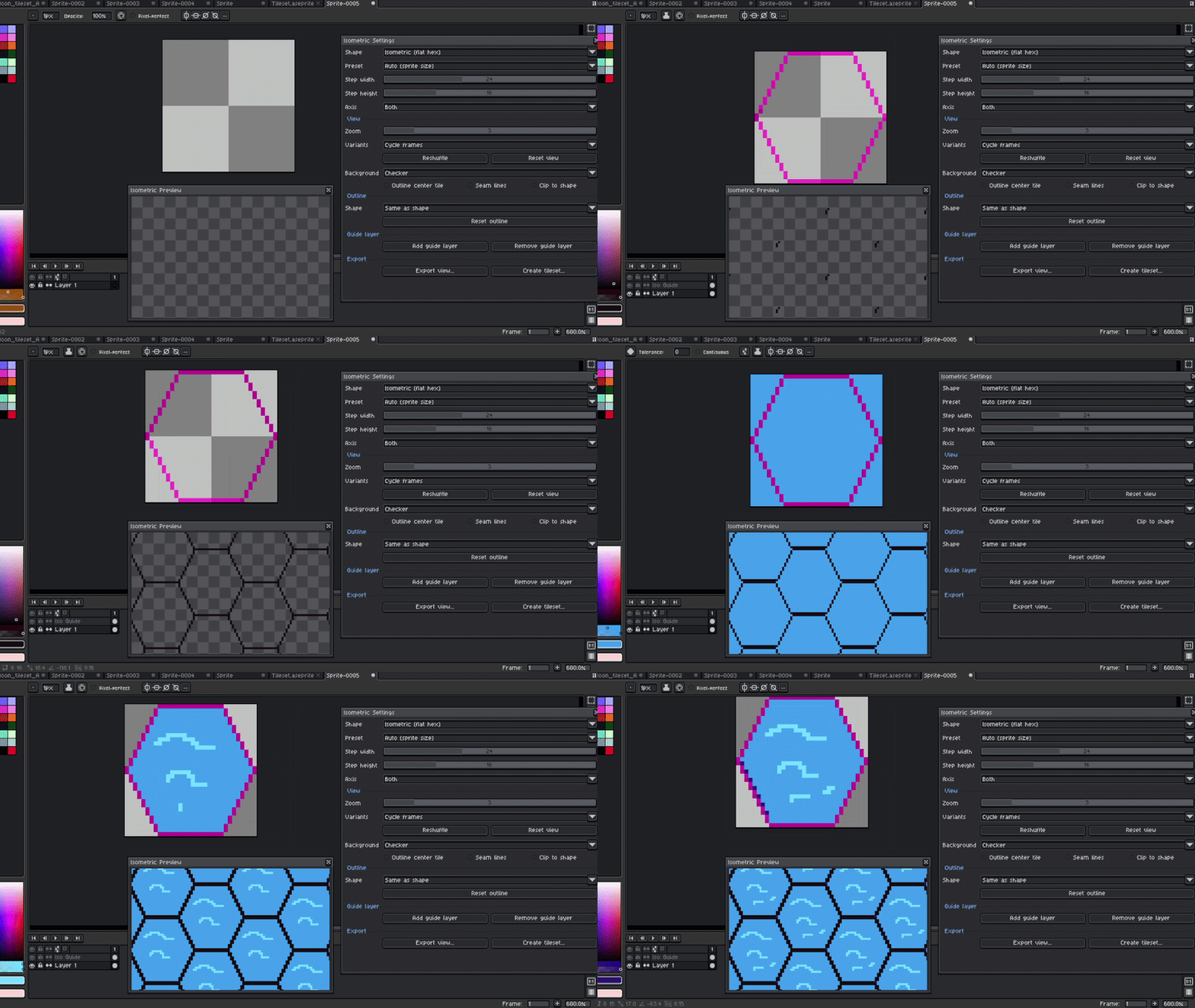
9. Design other shapes, use your imagination, or create cool patterns
Diamond and flat hex are some sprites that you probably barely see in games. Maybe it's because nobody has cared about making a tool like this to show the final result. Probably you are the new game dev with a unique idea; try something cool with these shapes.
Diamond:
Flat hex:
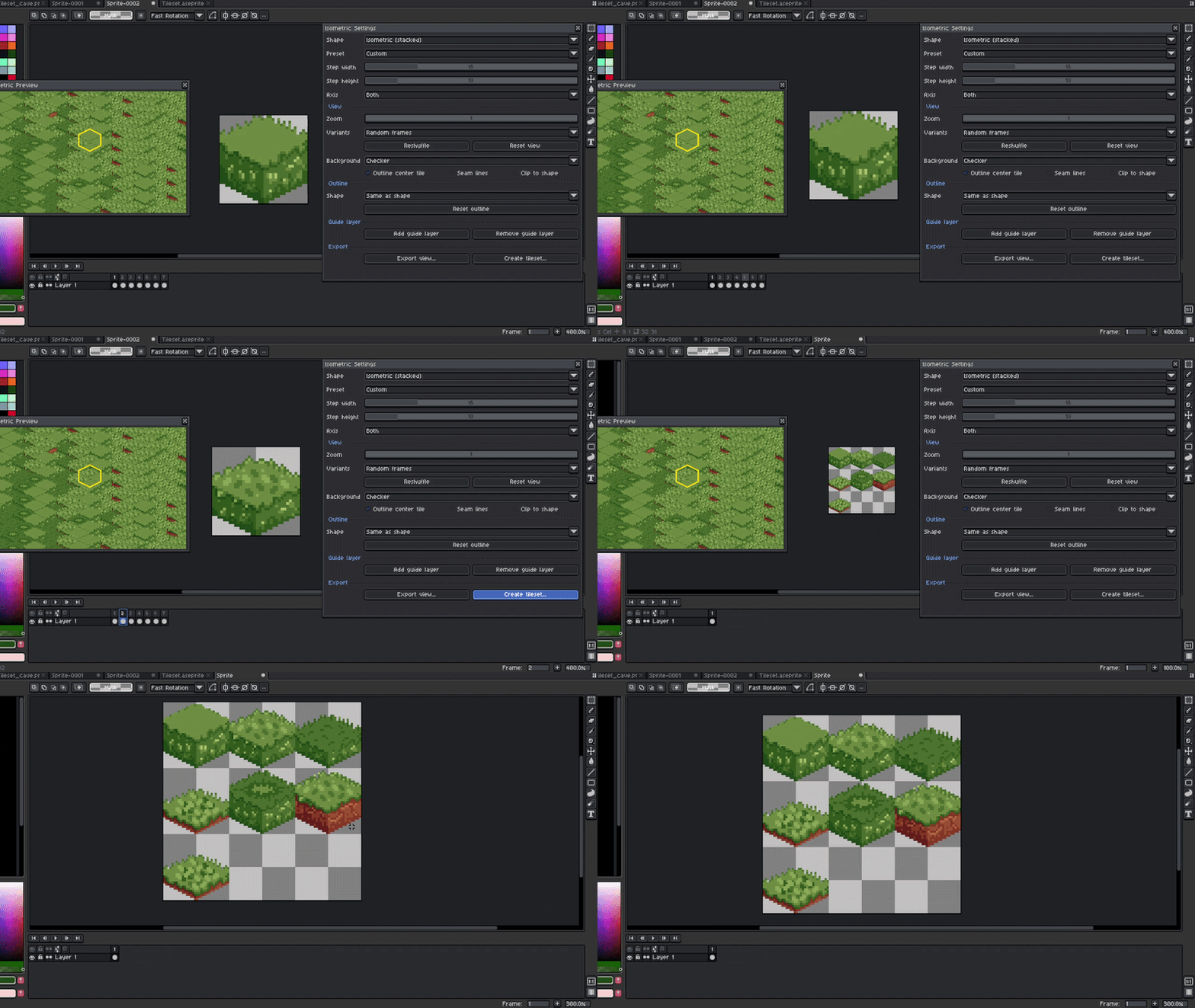
10. Create a tileset or export a preview.
And once you're done with all the hard work—if you haven't finished the tileset or you haven't even started yet—all the variants that you make using the frames can be exported into a single tileset, so you don't have to worry about that.
-------------------------------------------------------------------------------------------------
-------------------------------------------------------------------------------------------------
How to Use the addon.
1.Once you download the file, you need to extract the documents from the ZIP file
2.Inside the ZIP file, you will find the script and the license
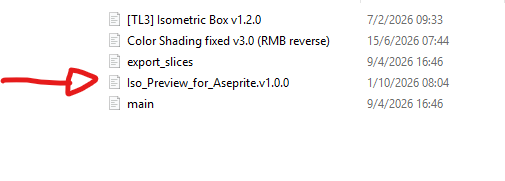
3.Copy the file called: Iso_Preview_for_Aseprite.v1.0.
4. Open Aseprite.
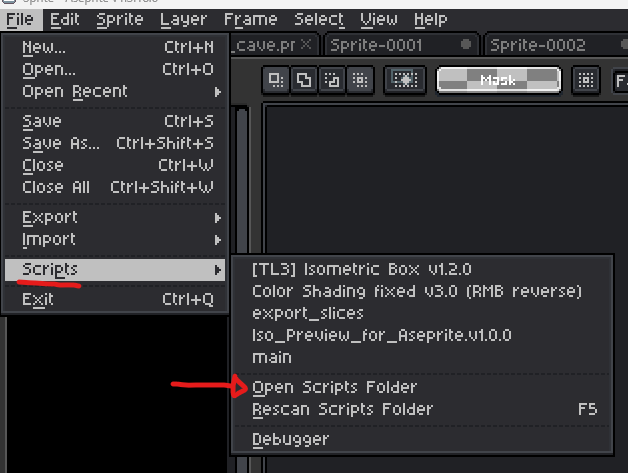
5.In the File option, select Scripts and then select Open Scripts folder
6.Inside the folder, paste the file called: Iso_Preview_for_Aseprite.v1.0.0 (check steps 2 and 3)
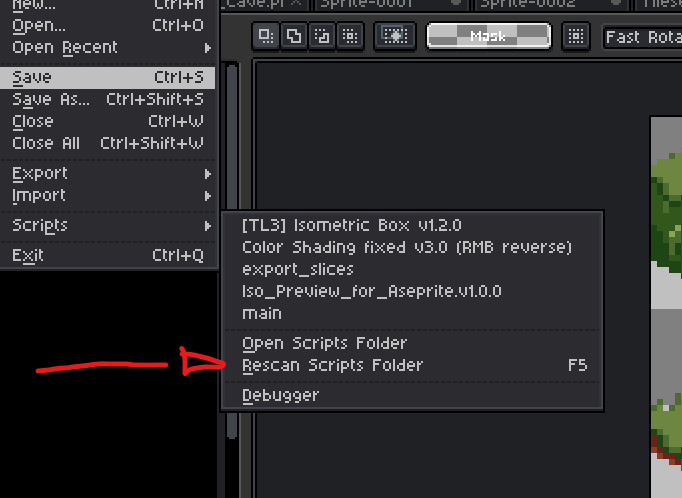
7.Go back to Aseprite and rescan the scripts folder
8.Then, every time you need to use it, in the selected canvas, open the File option again, select Scripts, and then the option that says: Iso_Preview_for_Aseprite.v1.0.
9.And that's it! If you have any issues, please let me know.
--------------------------------------------------------------------------------------------------
--------------------------------------------------------------------------------------------------
Isometric Preview License Agreement
By downloading, installing, or using Isometric Preview, you agree to the following terms:
1. Grant of Use
You are granted a non-exclusive, non-transferable license to use
Isometric Preview in personal, professional, and commercial projects.
2. Restrictions
You may NOT:
- Resell, sublicense, redistribute, share, or transfer the script,
in whole or in part, to any third party.
- Bundle or include the script inside another asset, script, or product.
- Distribute modified versions of the script.
- Claim ownership or authorship of the script or any part of its source code.
3. Ownership
All rights in Isometric Preview, including its source code, design,
structure, and functionality, remain the property of the author.
4. Personal Modifications
You may modify the script for your own use only.
Modified versions may not be shared, distributed, or sold.
5. No Warranty
The script is provided as is, without warranty of any kind.
The author is not liable for any damages, data loss, or other issues
that result from its use.
6. Attribution
Attribution is appreciated but not required when sharing work
made with Isometric Preview.
7. License Updates
The author may revise this license for future versions.
Updated terms apply only to new downloads and updates.
Copyright (c) 2026 KipperFalcon. All Rights Reserved.
Purchase
In order to download this Aseprite add-on you must purchase it at or above the minimum price of $4.99 USD. You will get access to the following files:
Leave a comment
Log in with itch.io to leave a comment.